How to Automate SQL Injection (SQLi) Remediation at Scale
SQL injection (SQLi) remains one of the oldest and most devastating vulnerabilities in web security. Despite being well-understood, it consistently ranks near the top of the OWASP Top 10 because manually finding and fixing every vulnerable query in a modern, fast-moving codebase is nearly impossible.
In this guide, you will learn how to move beyond manual patching and build a workflow that automatically detects, prioritizes, and remediates SQLi vulnerabilities using AI-driven automation.
To help you get started with automated vulnerability detection, we offer a free Static Application Security Testing (SAST) tool. You can try it here for free : Plexicus Free SAST Tool
Why SQLi Remediation Still Matters
The business impact of a successful SQLi attack is binary: you either protect your data or you lose it. A single exploited vulnerability can lead to:
- Full Database Exfiltration: Unauthorized access to PII, credentials, and intellectual property.
- Compliance Failure: Massive fines under GDPR, SOC2, or PCI-DSS.
- Brand Erosion: Loss of customer trust that takes years to rebuild.
The challenge is not just knowing that SQLi is bad; it is the remediation gap. Security teams find vulnerabilities faster than developers can fix them.
What is SQLi Remediation Automation?
SQLi remediation is the process of replacing vulnerable code (usually where user input is concatenated directly into a database query) with secure alternatives like parameterized queries or prepared statements.
Automating this process involves using Static Analysis (SAST) to find the tainted data flow and AI remediation engines to rewrite the code and submit it back to the developer for approval.
How to Automate SQLi Remediation
Step 1: Detect Tainted Data Flows
You cannot fix what you cannot see. Traditional grep-based searches for select statements are too noisy. You need Static Application Security Testing (SAST) that understands taint analysis, which tracks how data moves from an HTTP request (source) to a database execution (sink).
- The Manual Way: Auditing every controller file in your repository.
- The Plexicus Way: Use Static Code Analysis (SAST) to scan your entire codebase in minutes. Plexicus maps the flow of data to identify exactly where unsanitized input hits your database.
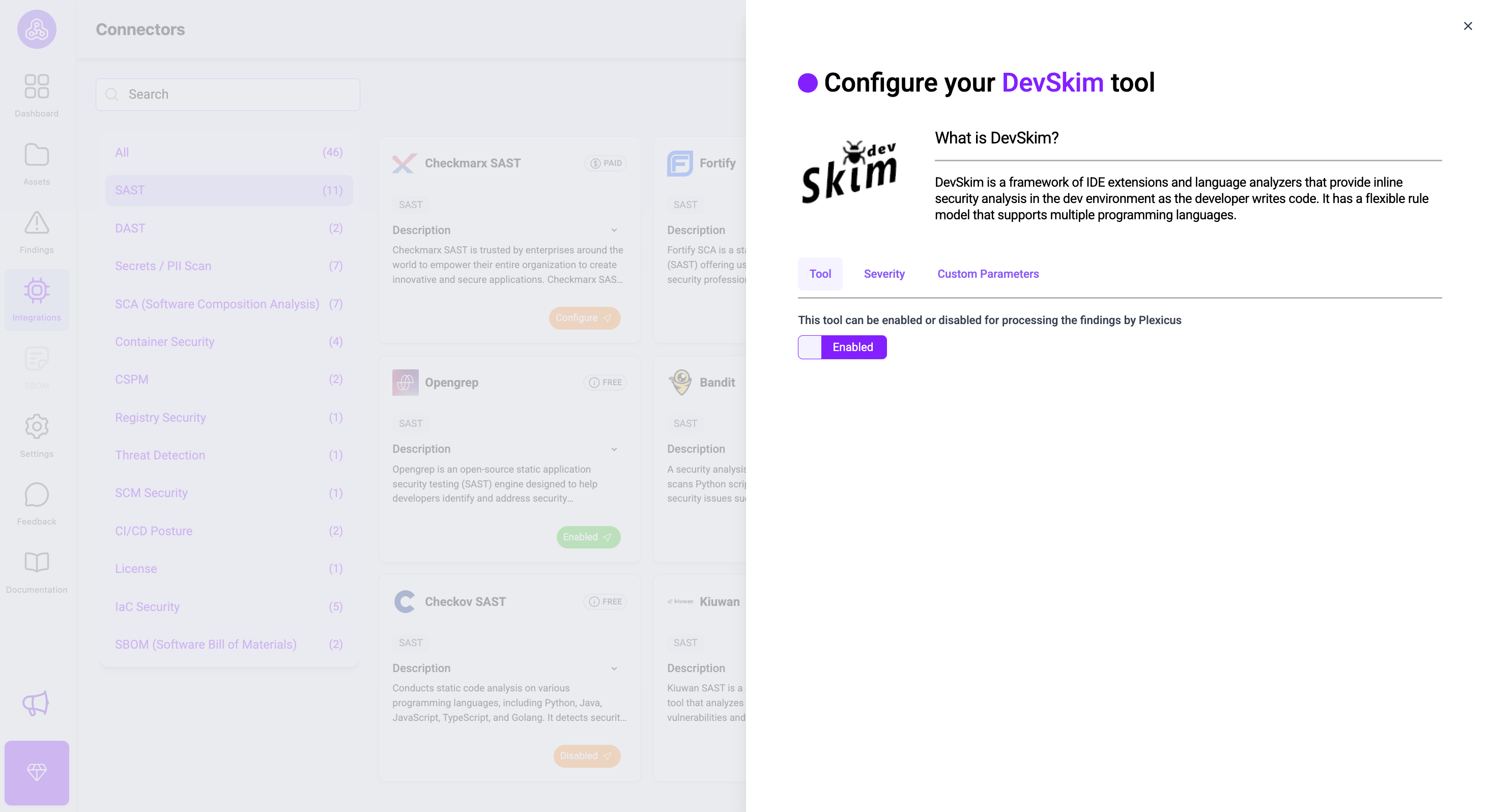
Plexicus connects with multiple SAST tools, from open source to paid ones. You can connect with the SAST tool available through the Integration menu or check here.
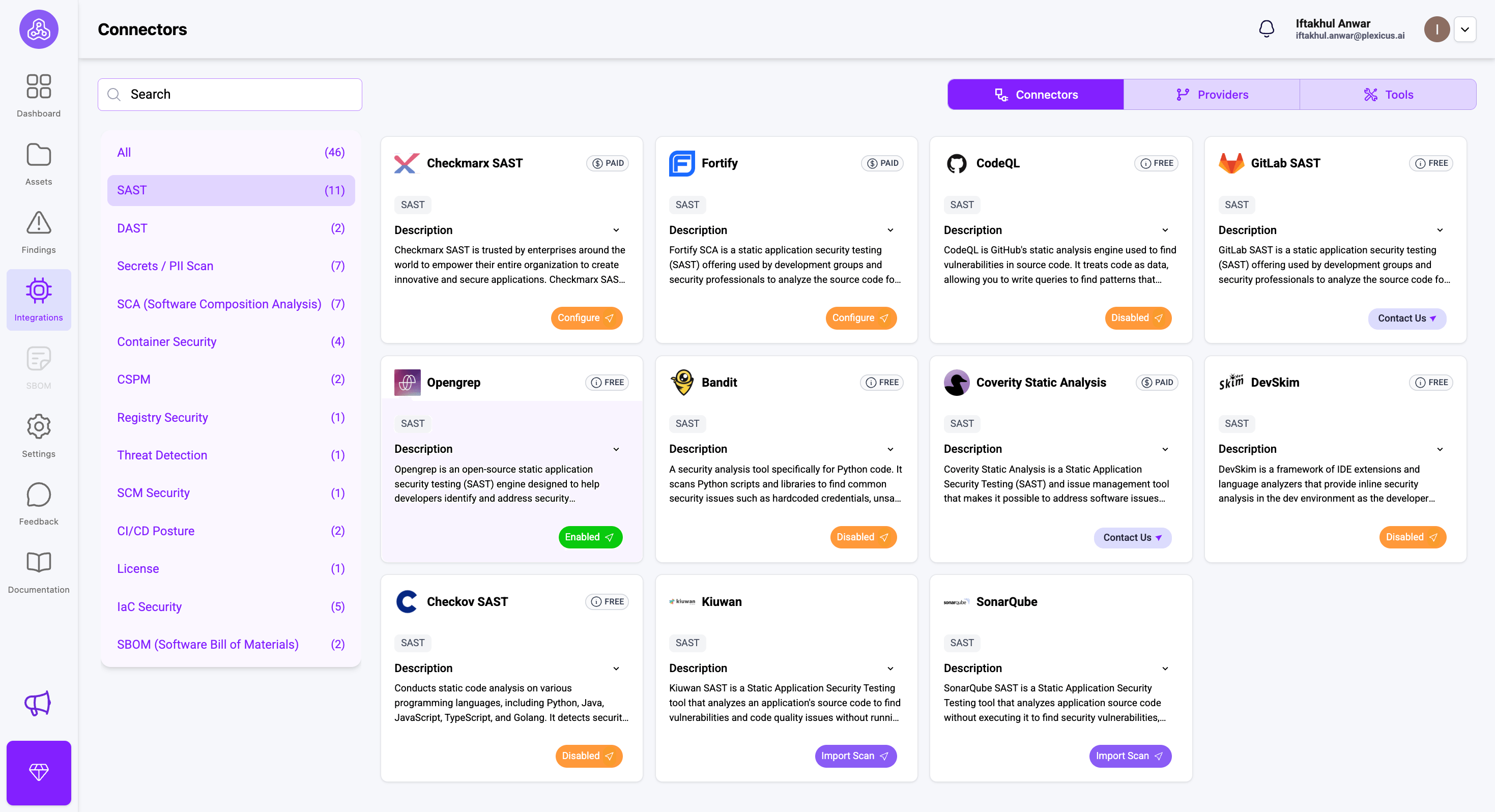
For tools that have a label “Free”, you can enable them directly by clicking on the configure button and switching the enable button.
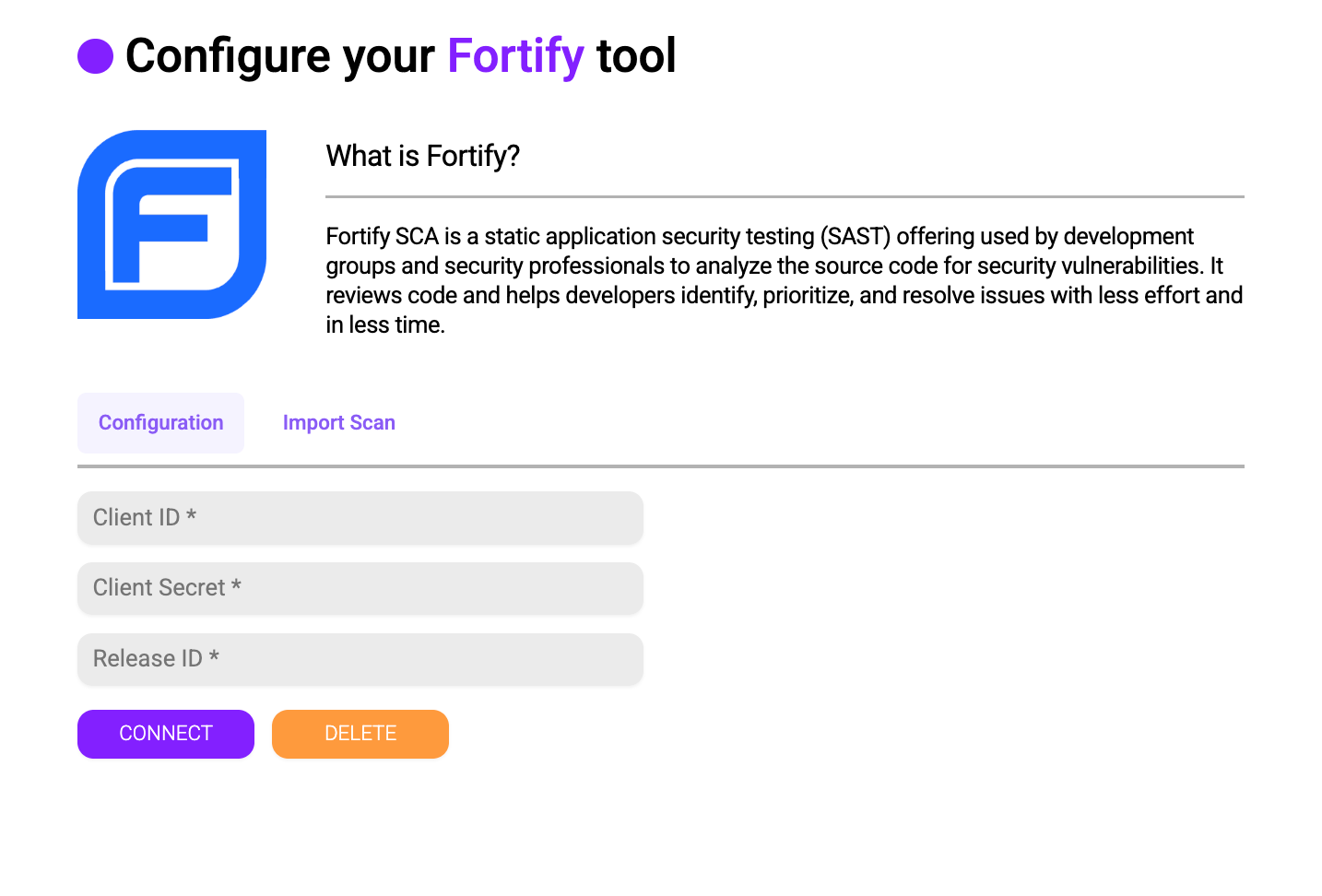
Meanwhile, with the paid tool, you can connect by filling in the credentials.
Step 2: Prioritize Based on Reachability and Risk
Not all SQLi vulnerabilities are created equal. An SQLi in a public-facing login form is a P0 (Priority 0), while one in an internal, authenticated reporting tool might be a P2 (Priority 2).
Plexicus uses a multi-factor prioritization system to help you focus on the most critical security findings. The system assigns priority scores from 0 to 100, with higher scores indicating more urgent issues.
You can check metrics for your prioritization by following these steps:
- Ensure that your repository is connected and the scanning process has finished.
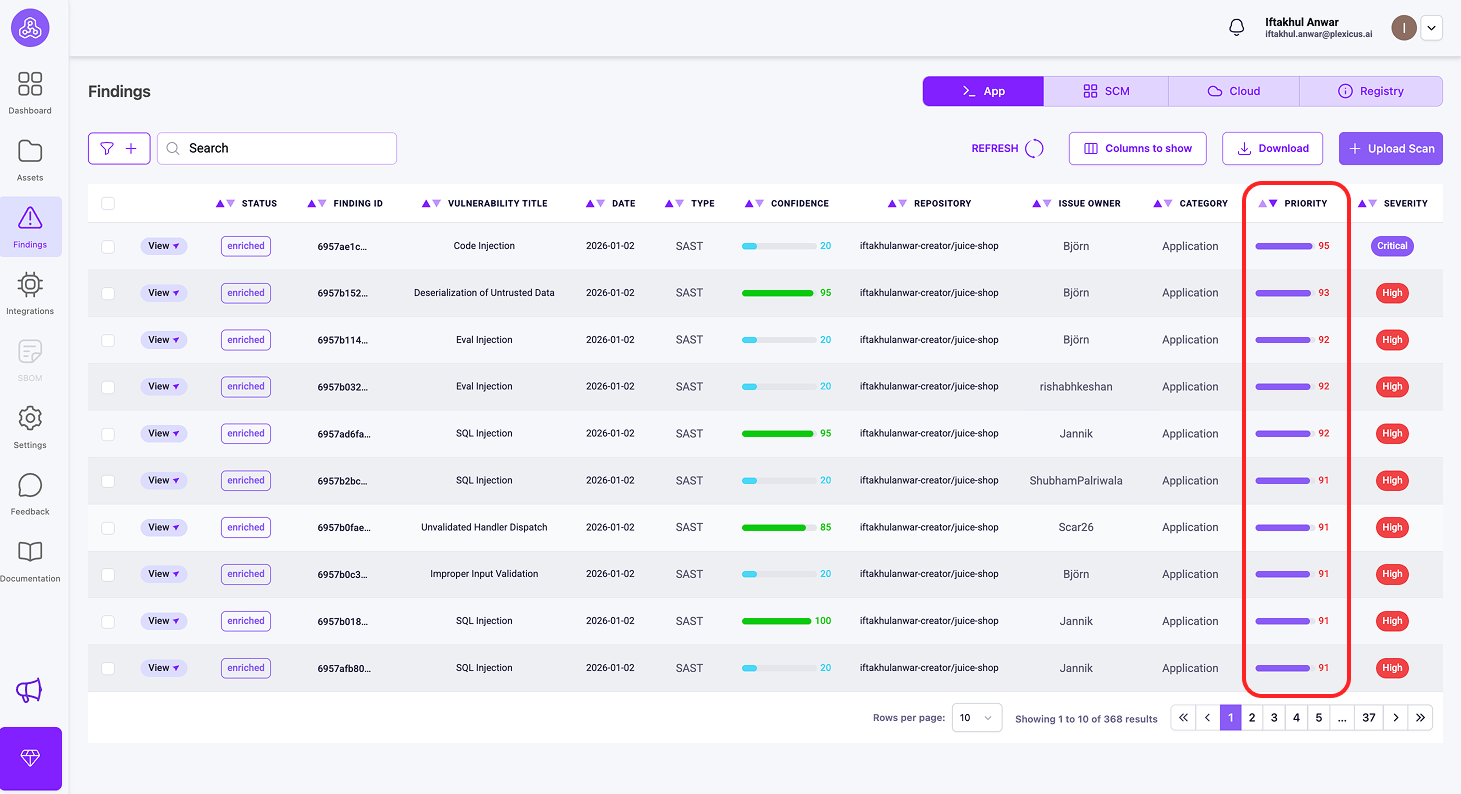
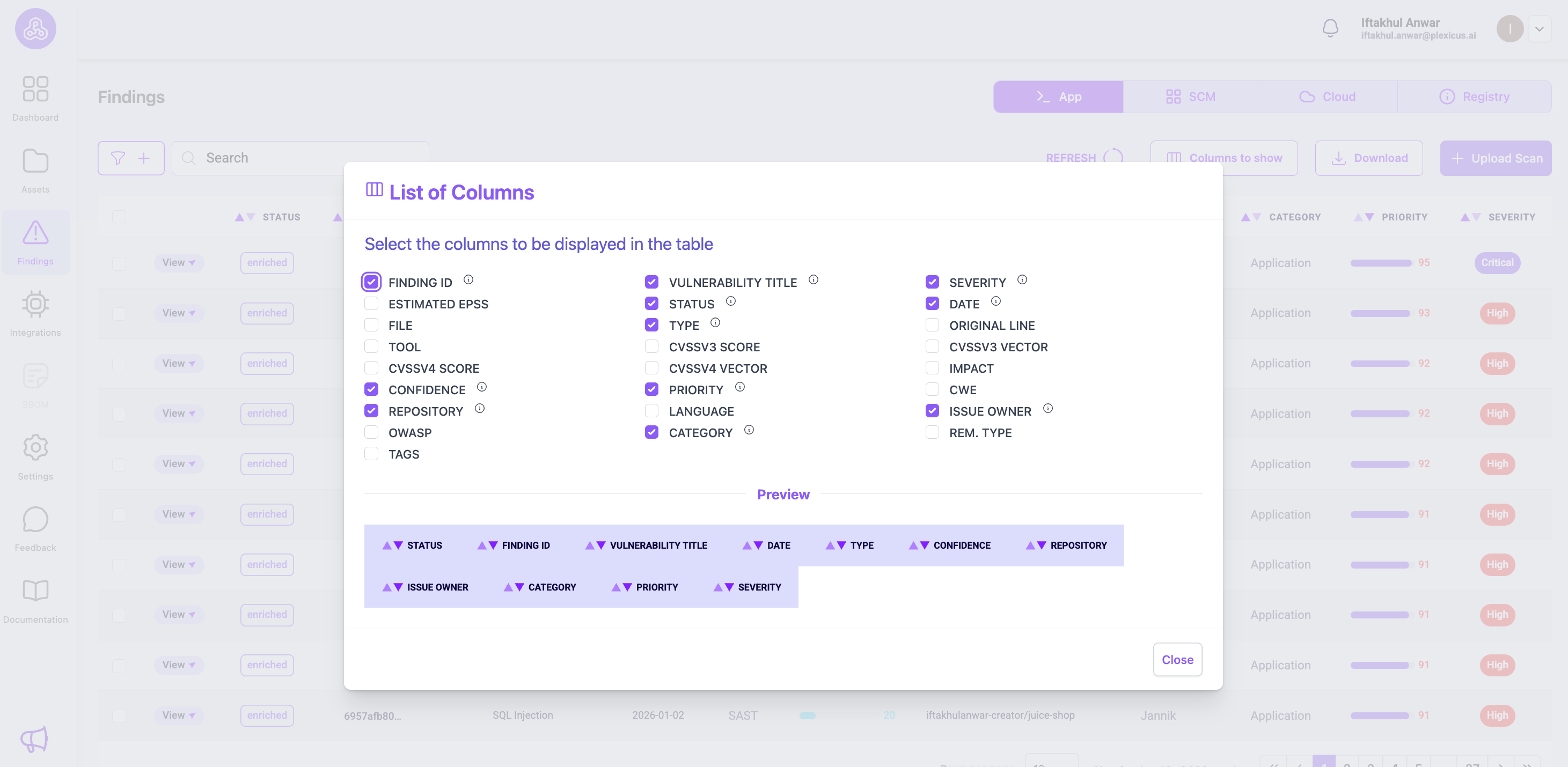
- Then navigate to the Findings menu, where you’ll find metrics to do prioritization. including Priority, Impact, and Confidence
- Priority (Score 0-100)
- This is your main prioritization metric - higher scores mean more urgent issues.
- Look for findings with Priority ≥ 80 (critical vulnerabilities)
- Impact (Score 0-100)
- Shows the business impact assessment
- Higher impact means greater potential business consequences.
- Confidence (Score 0-100)
- Indicates how certain Plexicus is about the finding
- 90-100: Definitive evidence, 70-89: Strong indicators, 50-69: Moderate confidence
- Priority (Score 0-100)
- Look for the Priority metrics, which range from 0 to 100, indicating the severity of the vulnerabilities. A higher score suggests a higher priority for remediation.
- If the metrics are not immediately visible, you can customize the display by clicking the Columns button and selecting the metrics you wish to view.
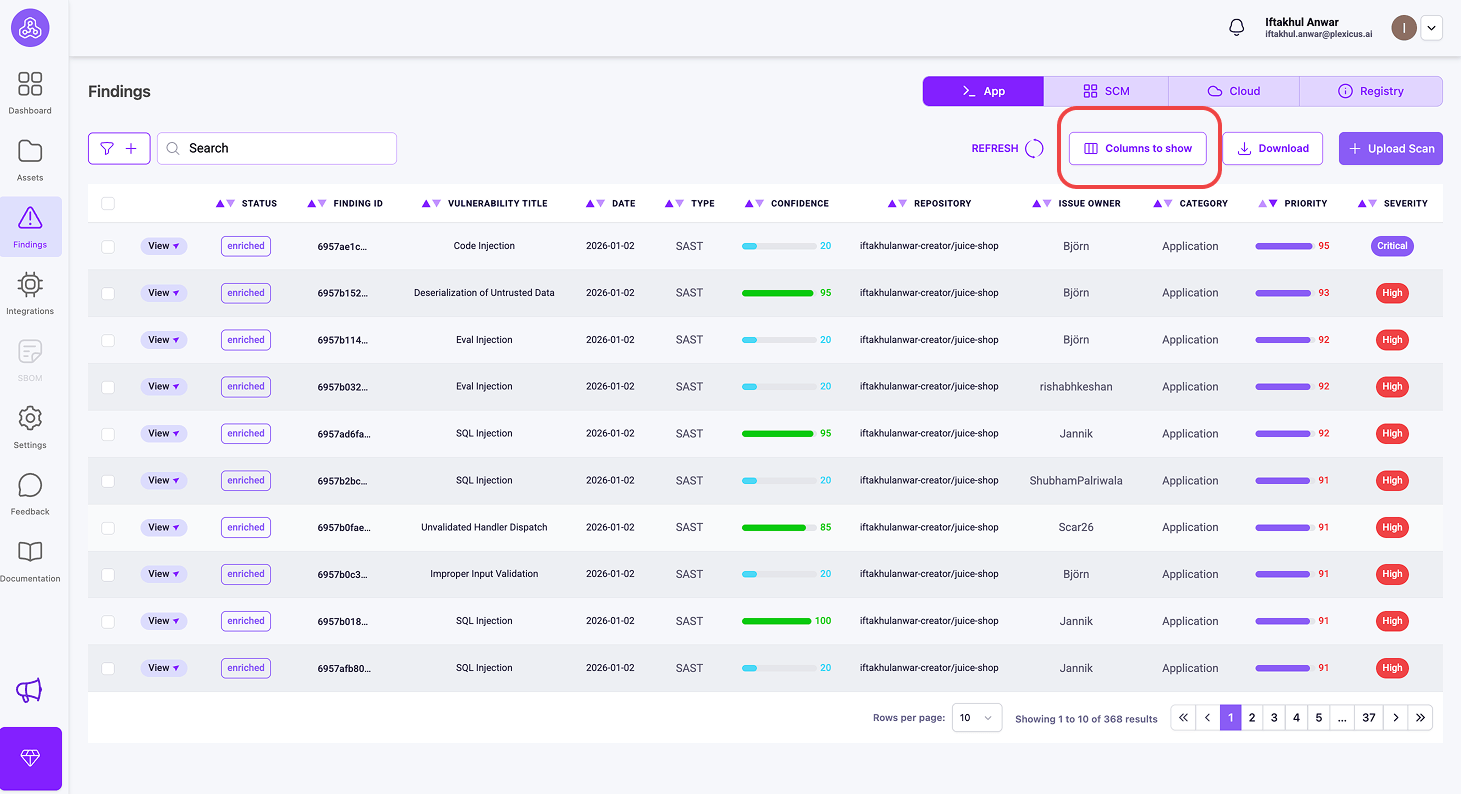
You can find other metrics to show in the findings list table.
Step 3: Automate the Fix (AI Remediation)
This is where most security programs stall. Developers often do not know the specific syntax for a parameterized query in a legacy framework.
Instead of sending a PDF report, you should provide the code. Modern workflows leverage Large Language Models (LLMs) to scan the vulnerable snippet and suggest a perfect patch.
In Plexicus, you can use the auto remediation engine to generate the corrected code block automatically. It replaces the concatenation with a prepared statement, maintaining the original logic while removing the risk.
After the scanning process finishes, you can click on the details of a particular security issue found by the scanner.
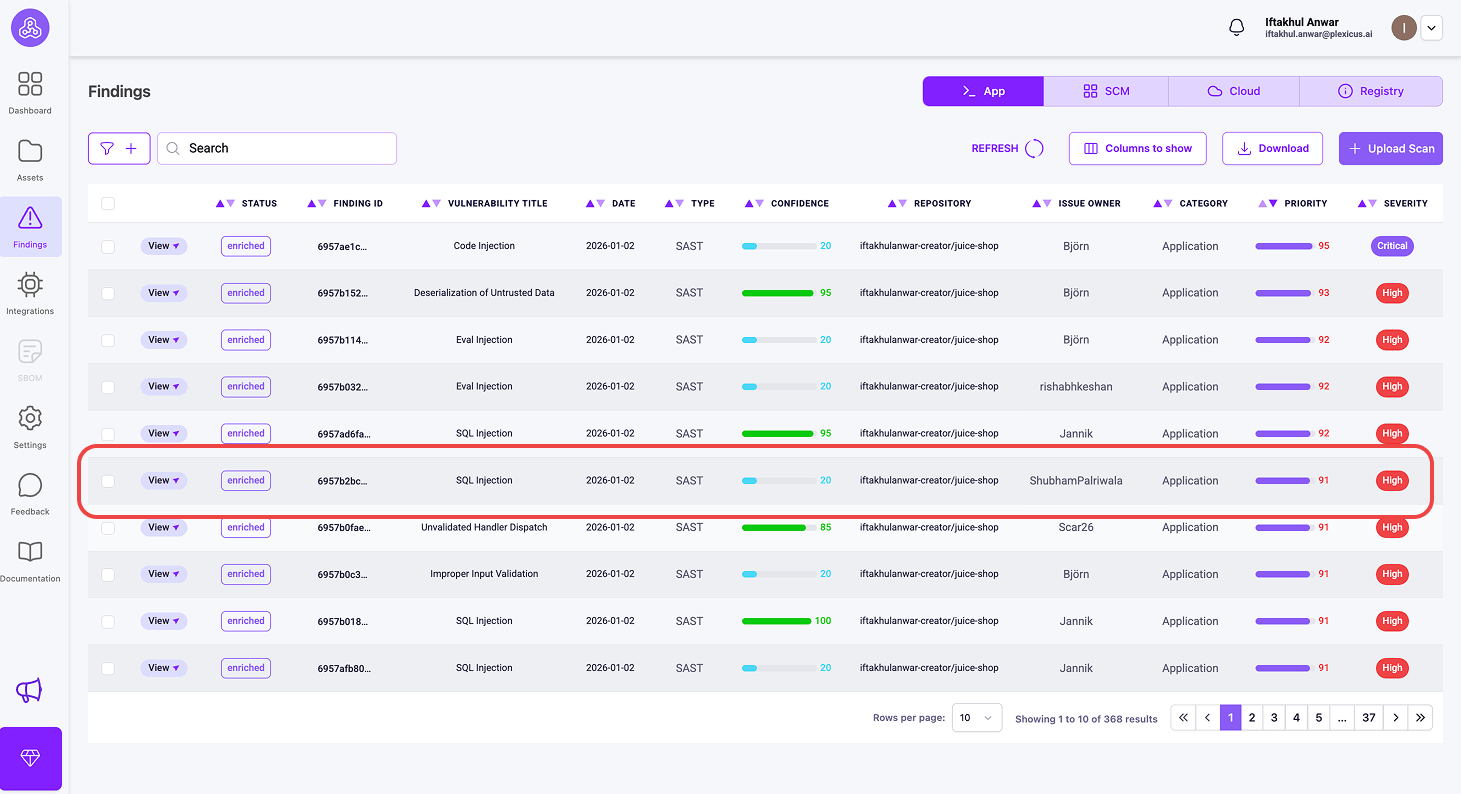
It will display a pop-up to give you detailed information about the vulnerability. The block code will tell you the code that causes vulnerability and needs to be fixed.
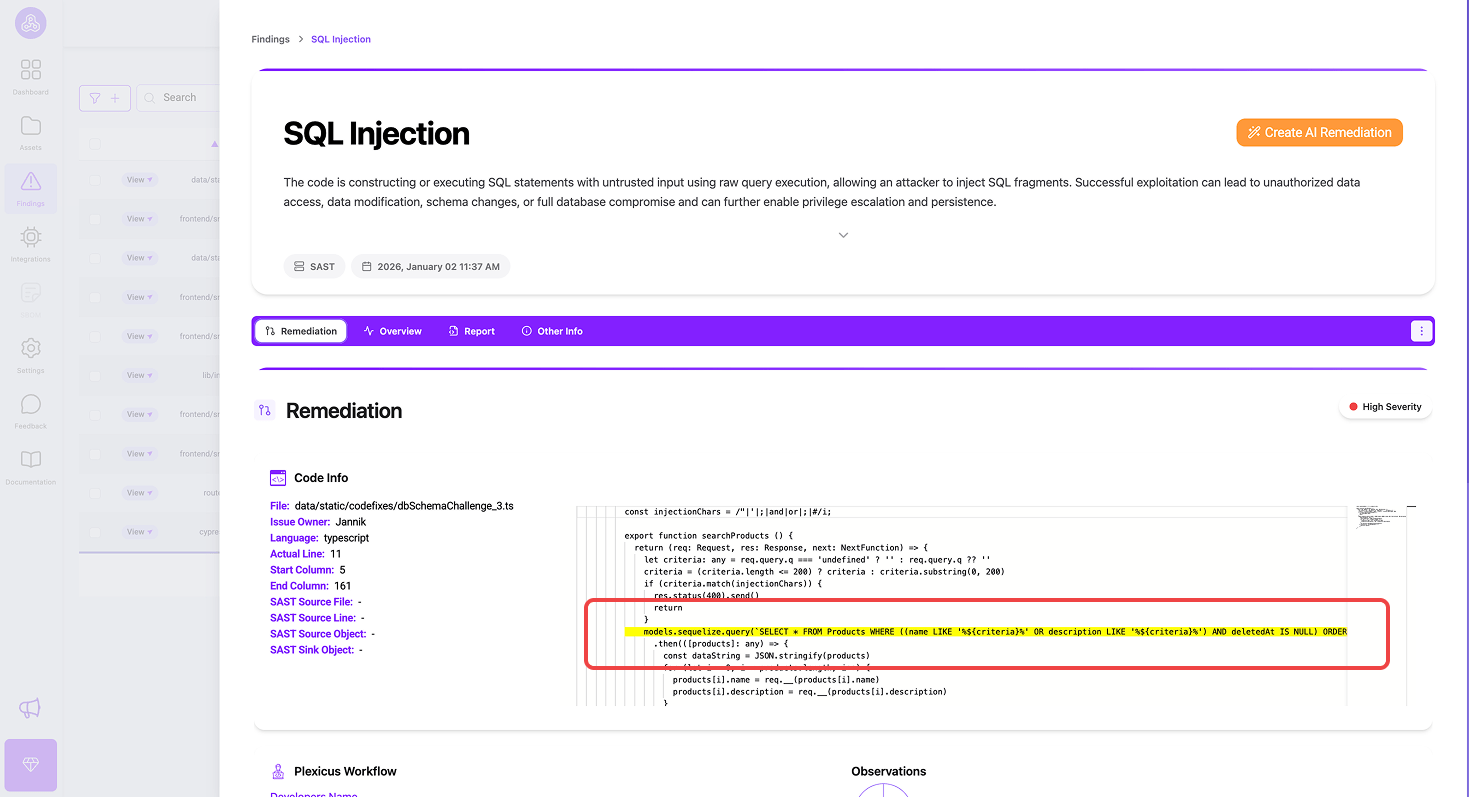
When you’re ready to fix the issue, you can click the Create AI Remediation button to start remediation.
After the remediation process finishes, the pop-up will appear to suggest that you do a pull request. You can check the changes suggested by AI, or you can edit manually in a code block if needed.
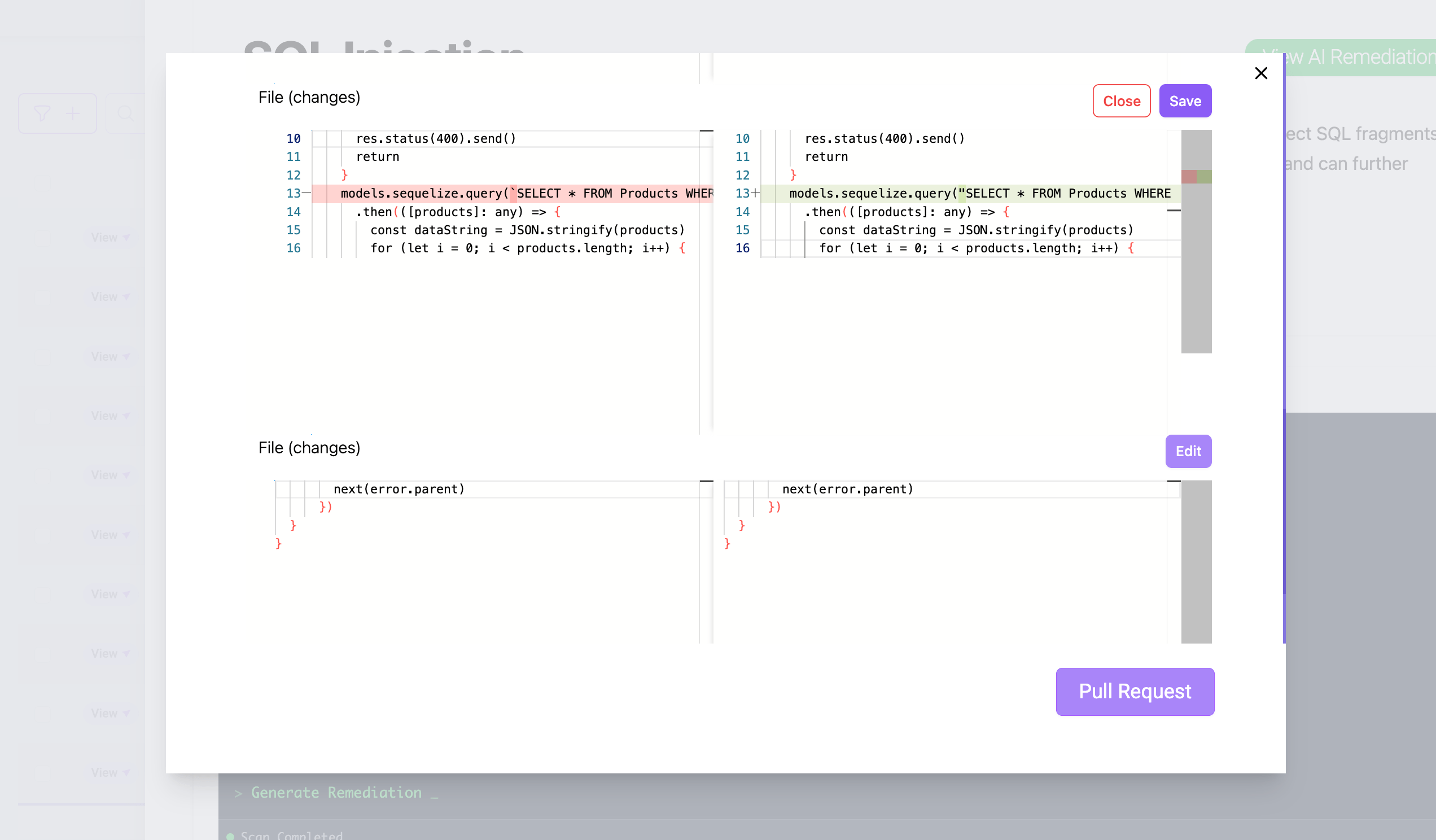
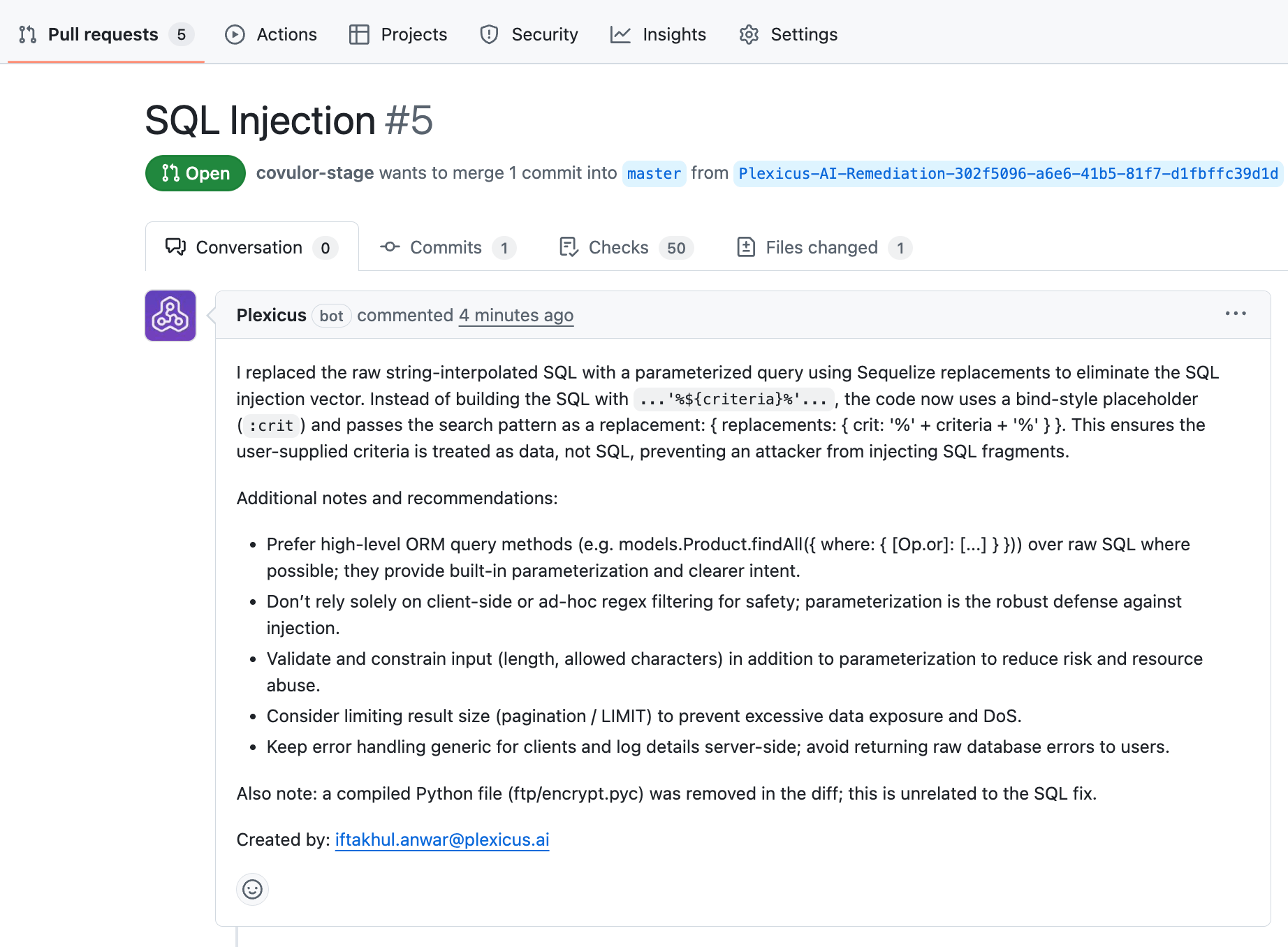
The AI remediation is not directly implemented in code; instead, it needs approval through the pull request process. Plexicus implements role-based access control, granting different roles different capabilities within the platform. You can check the roles differently here
It makes the human in the loop process verify the changes before merging them into the production code, ensuring high quality and maintaining developer trust.
Step 4: Validate with CI Gating
Once a fix is applied, you must ensure the vulnerability does not crawl back into the codebase during the next release.
Integrate your security tool into the PR (Pull Request) process. If a developer introduces a new unparameterized query, the build should fail. Plexicus’s CI gating acts as a safety net, providing instant feedback directly in your source code management, like GitHub, GitLab, and so on, before the code ever reaches production.
Plexicus allows you to set up a CI gating mechanism with a few steps :
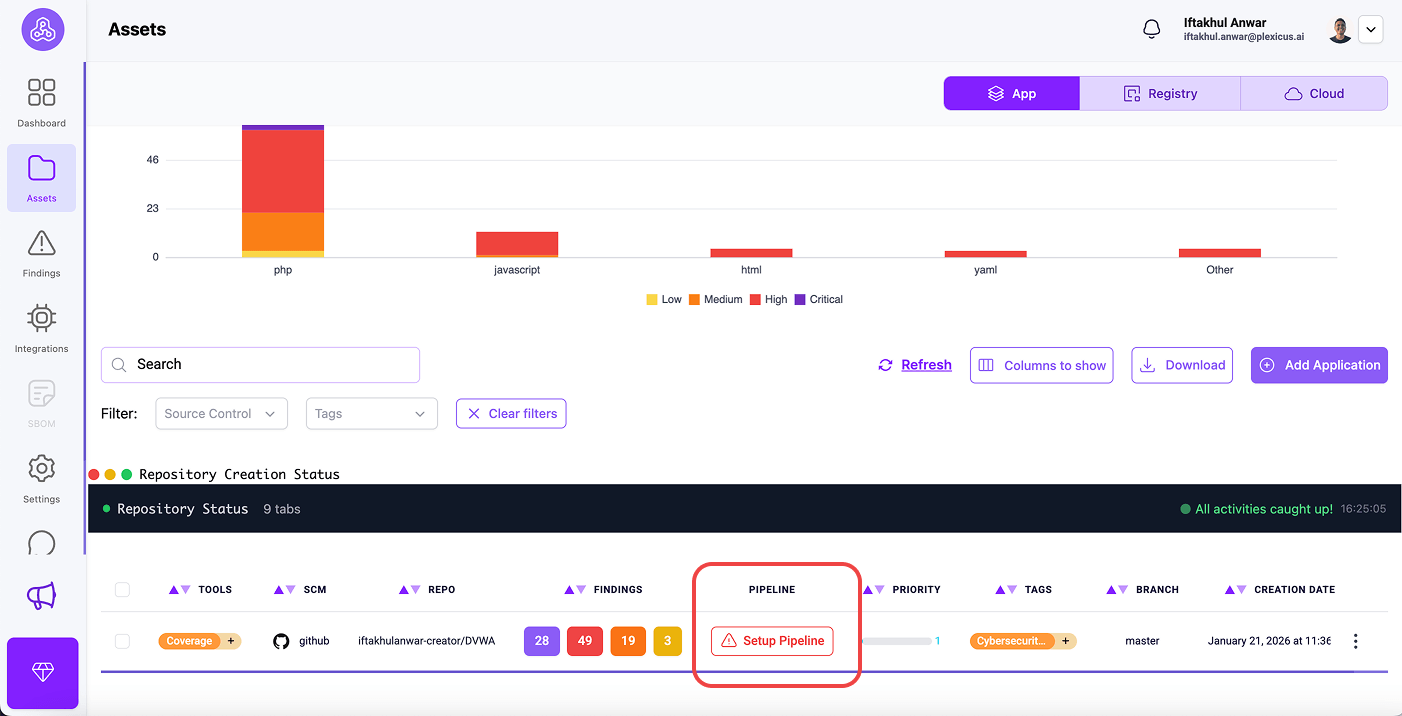
- Go to the Asset menu.
- At the Tab App, you will find your connected repository.
- In your connected repository, click Setup Pipeline to set up CI gating
- The pop-up will appear, and it asks you to configure the pipeline in your SCM. Click Ok
- After you click OK, you will be redirected to the GitHub pull request tab. Ask for your permission to merge the pull request to integrate Plexicus in your GitHub actions.
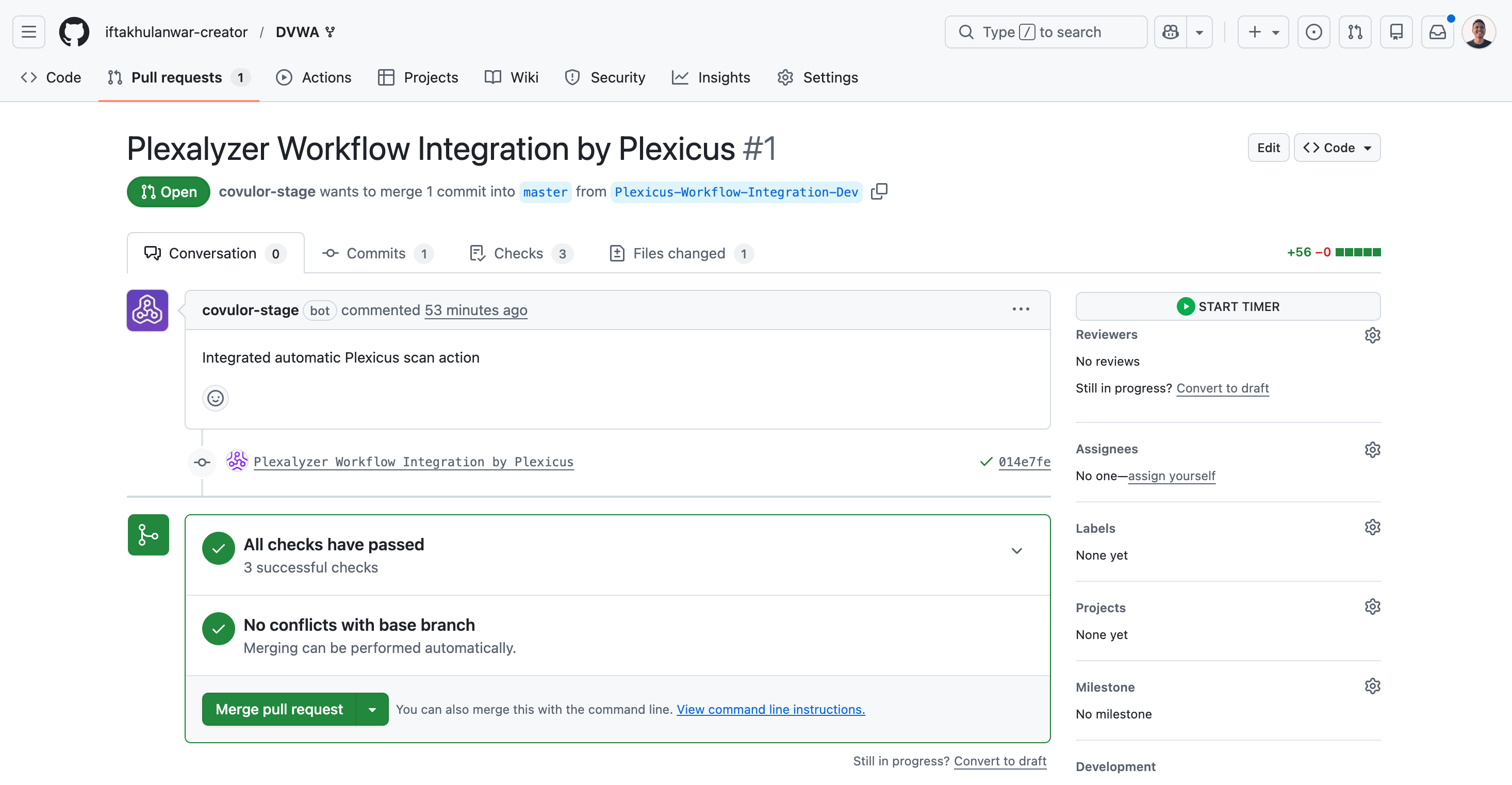
- Once you merge the Plexicus workflow integration, your repository gains automated security scanning that runs continuously on code changes. It will run automatically on every push and pull request to your main branch.
Comparison: Why Automation Wins
Relying on manual remediation creates a vulnerability debt that grows every time you push code. By the time a manual pentest finds an SQLi, that code has often been in production for months.
By using a unified platform like Plexicus, you consolidate multiple tools (including SAST, DAST, and AI Remediation) into a single pane of glass. This does not just find the SQLi; it closes the loop by generating the fix and updating the ticket automatically via Automatic Task Creation.
| Feature | The Old Way (Manual) | The Modern Way (Automated) |
|---|---|---|
| Detection | Manual code reviews / PDF reports | Real-time SAST & DAST Scanning |
| Fixing | Jira tickets with “Please Fix” | Bulk AutoFix & AI Remediation |
| Validation | Annual Penetration Tests | Continuous CI/CD Gating |
| Scope | Main apps only | Full Attack Surface Monitoring |
Conclusion
SQL Injection is a solved problem, yet it remains a leading cause of breaches because of execution gaps. By automating the detection-to-remediation pipeline, you empower your developers to write secure code without slowing down development speed.
Plexicus offers a comprehensive suite of tools, ranging from code scanning, registry, and cloud to AI-powered remediation, to keep your applications secure from the code to the cloud.
Its platform supports a wide range of environments to ensure compatibility with your tech stack. Key supported environments include programming languages like Java, Python, and JavaScript, as well as cloud providers such as AWS, Azure, and Google Cloud.
FAQ:
Q1: What is SQL Injection (SQLi) and why does remediation still matter?
A: SQLi is a vulnerability that allows attackers to manipulate database queries, leading to data breaches, compliance failures, and brand damage. Remediation is critical because even one missed vulnerability can have severe consequences, and manual fixes cannot keep up with modern codebases.
Q2: How does SQLi remediation automation work?
A: Automation uses Static Analysis (SAST) tools to detect vulnerable code, then leverages AI to rewrite insecure queries using safe practices (like parameterized queries), and submits these fixes for developer approval.
Q3: What are the main steps to automate SQLi remediation?
- Detect tainted data flows using SAST tools.
- Prioritize vulnerabilities based on risk and reachability.
- Apply automated fixes using AI remediation engines.
- Validate fixes with CI gating to prevent regressions.
Q4: How does Plexicus help in this process?
A: Plexicus integrates multiple security tools (including SAST, DAST, and AI remediation) in one platform. It automates detection, prioritization, fixing, and continuous validation, streamlining the end-to-end remediation workflow.
Plexicus also supports role-based access control, allowing organizations to manage permissions for different user types (such as Admins, Developers, and Auditors). This ensures that users have appropriate access and responsibilities, enhancing both security and workflow clarity. Learn more about role differences here.
Q7: Are automated fixes applied directly to the codebase?
A: No. Automated fixes are proposed via pull requests for human review and approval. This ensures developer oversight, maintains code quality, and builds trust in the automation process.
Q7: How does CI gating help maintain security?
A: CI gating integrates security checks into the pull request process, blocking new vulnerabilities from being merged and providing instant feedback to developers before code reaches production.
Q8: What environments does Plexicus support?
A: Plexicus supports a wide range of programming languages (Java, Python, JavaScript, etc.) and cloud providers (AWS, Azure, Google Cloud), ensuring compatibility across tech stacks.
Q9: Why is automation better than manual remediation?
A: Automation closes the remediation gap by continuously scanning, fixing, and validating vulnerabilities at scale, reducing risk and saving developer time compared to manual patching.
Q10: How can I start detecting vulnerabilities in my own code for free?
A: You can use the free SAST tool provided by Plexicus to scan your code for vulnerabilities, including SQL injection risks. Try it here