
What is CI Gating?
TL;DR
CI Gating is an automated “stop-the-line” mechanism in the development pipeline. It evaluates code against security and quality policies, blocking any commit that doesn’t meet the bar. It is the foundation of Shift-Left Security.
Definition: Understanding CI Gating
CI Gating (Continuous Integration Gating) refers to the use of automated checkpoints which validate code changes before they are merged into a common repository. Think of it in a digital filter for your codebase; if a piece of code is insecure, poorly formatted, or breaks existing logic, the gate remains closed.
In the context of ASPM (Application Security Posture Management), CI Gating is the enforcement layer that turns security visibility into actual risk prevention.
How CI Gating Works
The process begins the moment a developer submits a Pull Request (PR). The CI engine (like GitHub Actions or Jenkins) triggers a workflow that passes the code through several “gates”:
Security Gates
Scans for vulnerabilities using SAST, SCA, and Secret Detection. If a high-severity CVE is found, the build fails.
Quality Gates
Measures Code Coverage and Unit Tests. If testing drops under a certain threshold (e.g., 80%), the gate blocks the merge.
Compliance Gates
Checks for license violations or departures from organizational architecture standards.
Once all gates return a “Success” status, the code is “unblocked” and ready for human review or automated deployment.
Why CI Gating is Essential
Contemporary software development moves too fast for manual security reviews. CI Gating provides three critical advantages:
- Prevention Over Cure: It is significantly cheaper to block a vulnerability at the PR stage than to patch it in production.
- Eliminating Alert Fatigue: By stopping “noise” (known vulnerabilities and syntax errors) early, security teams can focus on high-context threats instead than chasing thousands of runtime alerts.
- Standardization: It makes certain that every developer, regardless of experience level, adheres to the same security and quality standards.
The Plexicus Perspective: Intelligent Gating
At Plexicus, we believe gating shouldn’t be a bottleneck. Traditional security gates often block developers from vulnerabilities that pose minimal real-world risk, creating friction among security and engineering teams.
Intelligent CI Gating in Plexicus leverages:
- EPSS Integration: Prioritizes vulnerabilities based on actual exploitation likelihood in the wild, not only theoretical severity scores. The platform uses EPSS (Exploit Prediction Scoring System) data to weight findings, making sure that only vulnerabilities with genuine exploitation risk trigger blocking gates.
- Plexicus Automate Remediation. Instead of simply flagging problems, Plexicus automatically generates specific code fixes and creates pull requests with the remediation. Developers receive ready-to-merge solutions alongside any blocking gate, transforming a potential bottleneck into an actionable workflow. This dramatically reduces the time from detection to resolution.
- Contextual Prioritization: The platform distinguishes between vulnerabilities in different contexts, such as test files versus production-facing APIs, documentation versus running code, and example code versus deployed systems. This AI-driven validation process filters out false positives and makes certain that only genuine security risks in production code trigger gates.
Security gates become enablers rather than blockers. Developers receive immediate, actionable fixes for real vulnerabilities while circumventing unnecessary friction from false positives or low-risk findings.
In Plexicus, you can set up a CI gating system with a few steps :
- Go to the Asset menu.
- At the Tab Repo, you will find your connected repository.
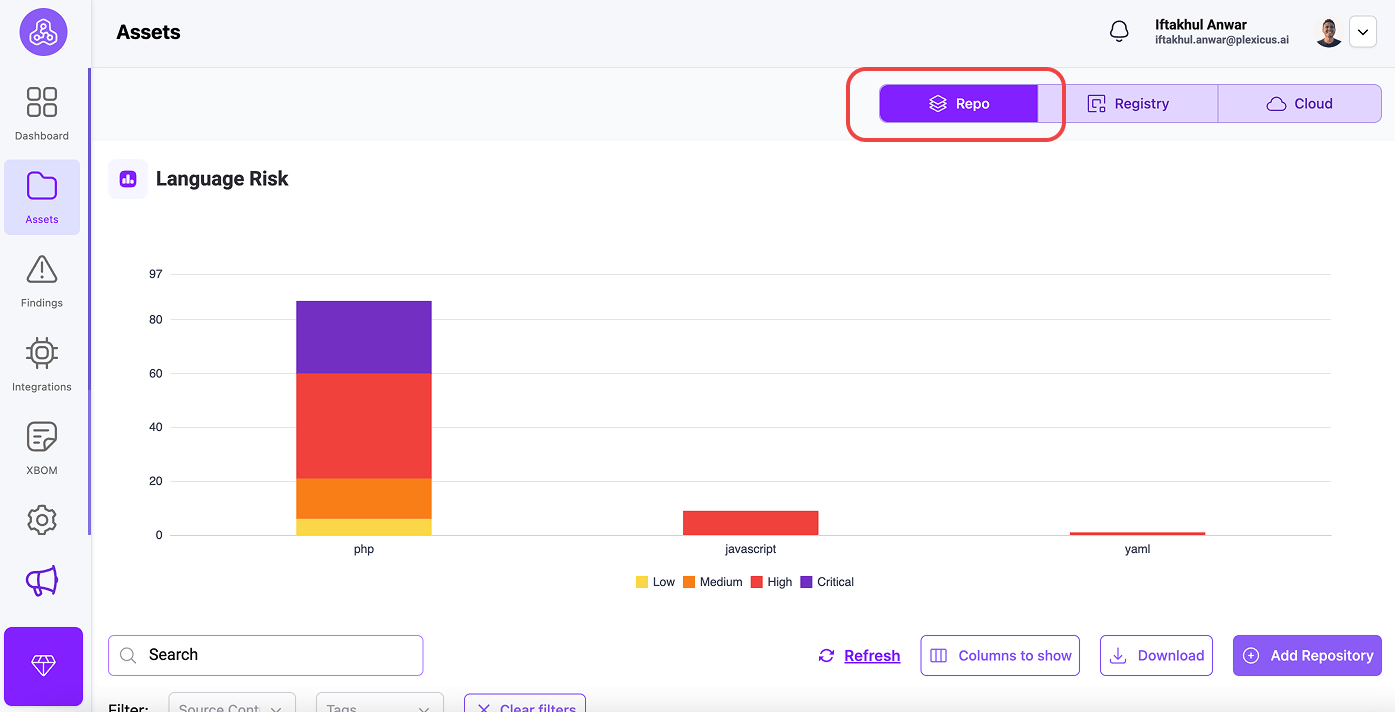
- Locate the repository where you want to enable CI gating, and click the Setup Pipeline button.
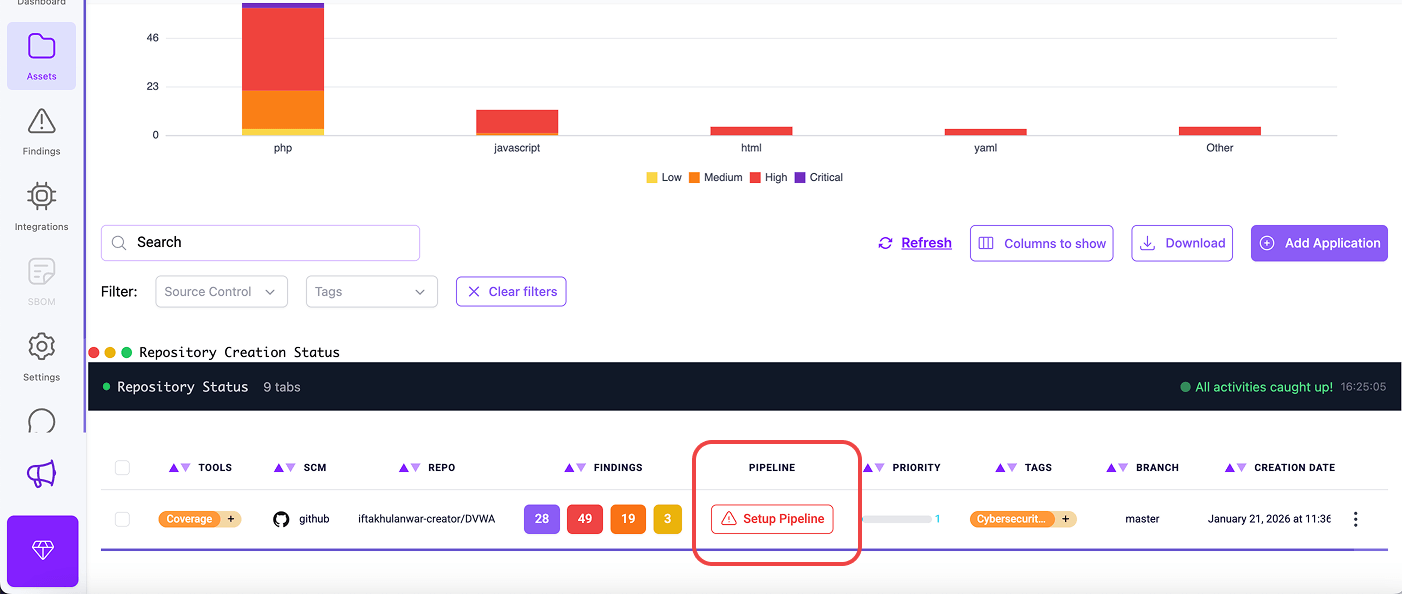
- A confirmation dialog will appear explaining the integration procedure. Click “OK” to proceed
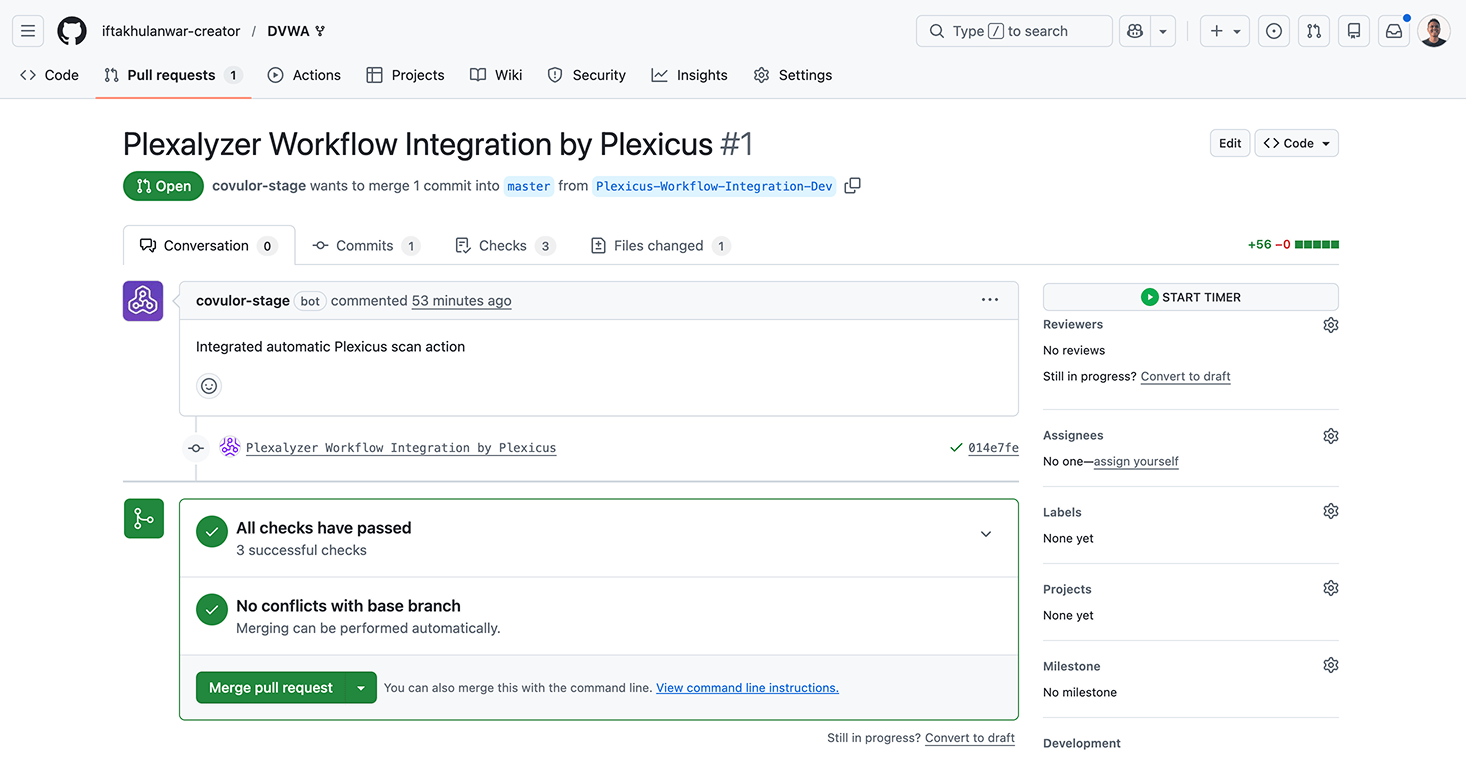
- Plexicus automatically creates a new integration branch in your repository (named “Plexicus-Workflow-Integration”) a. A pull request is generated containing the workflow configuration file n. This PR adds the necessary pipeline configuration to your repository
- You’ll be redirected to your source control platform (GitHub, GitLab, Bitbucket, or Gitea)
- Review the pull request containing the Plexicus workflow integration
- Merge the pull request to activate automated security scanning
FAQs
Is CI Gating the same as a Quality Gate?
CI Gating automates Quality Gates. While a Quality Gate is a general concept that can include manual sign-offs, CI Gating is strictly the automated “fail/pass” logic within the CI pipeline.
What is a “Hard Gate” vs. a “Soft Gate”?
A Hard Gate prevents the merge entirely until the issue is fixed. A Soft Gate (or “Warning Gate”) allows the merge but flags the issue for later remediation or manual approval.
Does gating slow down development?
Only if the gates are poorly optimized. By running fast checks (Linting/SAST) first and using incremental scanning, teams can maintain high velocity without sacrificing security.
Related Terms
- CI/CD Pipeline
- Shift-Left Security
- Software Composition Analysis (SCA)
- Vulnerability Management