When a Critical Finding Lands, the Next Step Is Already Written
A finding should not wait in a list. PlexiFlow runs the path you already wrote: branch on severity, ask the named role, then start a fix or notify the team.
Beyond ASPM
Proof-Driven AppSec for teams building with AI
Plexicus uses AI Swarm Pentest to explore authorized application paths, validate what is exploitable, and give teams evidence they can use to prioritize remediation.
Explore AI Swarm PentestA scanner that stops at a list has not finished the job. The finding is the start. The next step should already be written.
PlexiFlow is that step. You publish a flow. When a finding arrives, or when a schedule fires, the flow runs the path you drew. Not a suggested playbook. The path.
The path
Take one flow.
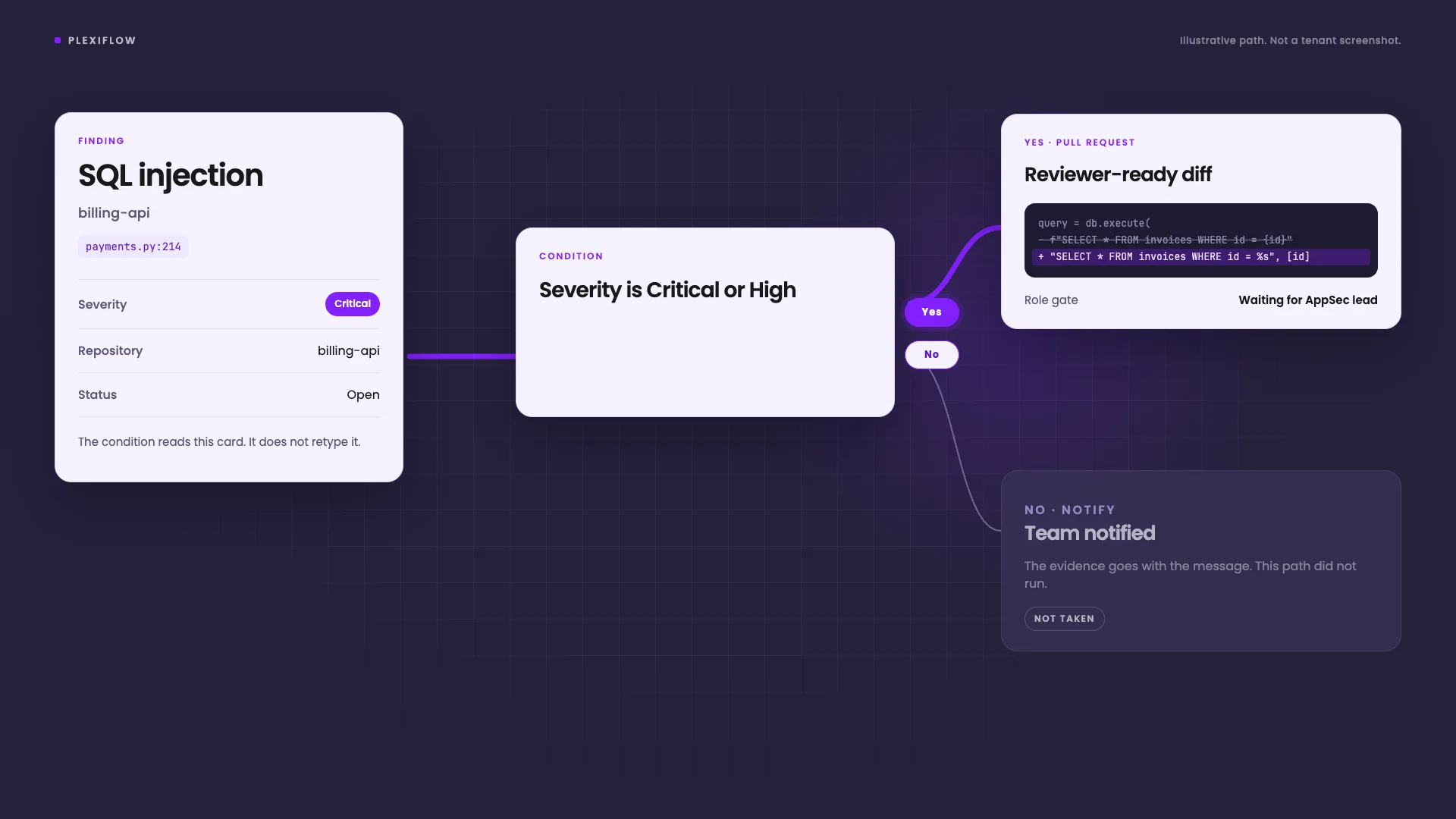
A new finding arrives. The condition is plain: severity is Critical or High. You read that sentence on the canvas before you save it. You do not type the rule as raw JSON.
The Yes branch starts a remediation and opens a pull request a reviewer can read. Then it waits. The No branch notifies the team, with the evidence, and stops. A finding that does not match does not get a fix, and it does not disappear either.
That is the closed loop. Detect. Branch. Act. Leave a record.
The clip below is that path. It is an illustration, not a screenshot of a tenant.
The same editor covers the other triggers. A weekly rescan is a schedule, with a timezone and the next runs shown before you save. A webhook can start a flow with no finding attached. You test those without pasting an ID.
The branch is the product
A flow with one line and no choice is a script. AppSec work is a choice.
The canvas labels the handles. Yes. No. On failure. Each case of a switch, plus Otherwise. An edge that leaves a node with no branch is refused at save. Two edges on the same branch, aimed at different steps, are also refused. A silent step that never runs is a worse bug than a loud one.
On failure is a path you draw. A step that fails can notify someone. It does not have to end as a blank run.
You can undo the edit. The schedule, the timezone, and the webhook settings stay where you put them.
A role, not a hope
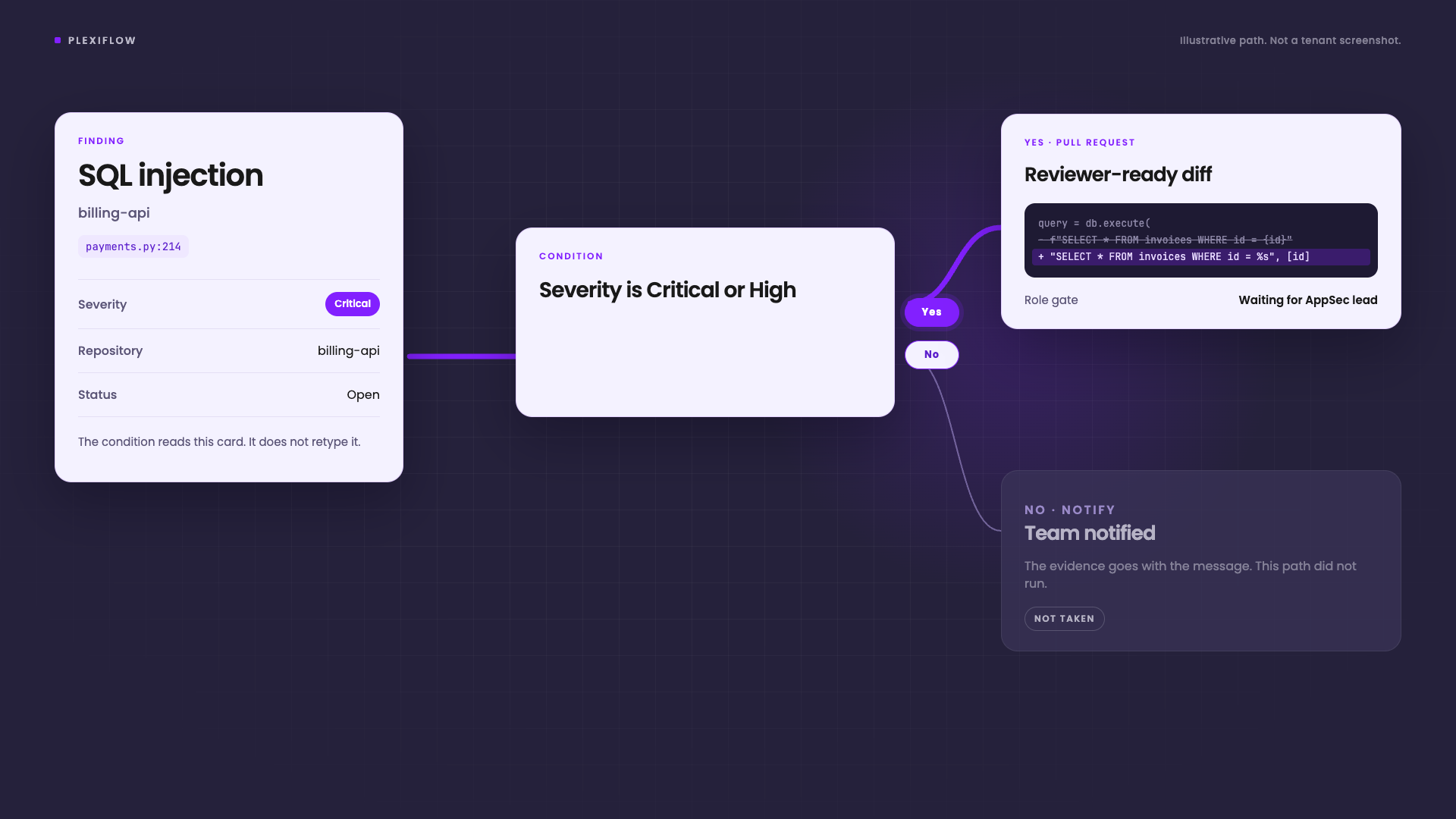
The approval gate names a role. A person outside that role cannot approve it, and cannot reject it.
That matters once the Yes branch can open a pull request. The flow should not treat “someone will look” as a control. The gate is the control. The run panel says the flow is waiting, in words, and gives the next step. It does not print a raw status code and leave you to guess.
Try it before you turn it on
Test Run does not ask you to paste a finding ID. You pick a recent finding from a search. Schedule and webhook flows can be tested with no finding at all.
You can also test one step while the flow is still a draft. A bad mapping shows up there, not on the first real critical finding.
Outputs map into the next step as fields. A ticket title, a notification, a connector input. You pick the field. You do not retype the finding by hand.
Forty fixes are not forty spinners
One finding is a run. Forty findings are a batch. Those are not the same screen.
The remediation activity view lists the batch. It shows how many have finished, and where each finding sits: running, done, or failed. When a pull request exists, that row shows it. A single remediation, one that was not part of a batch, is on the same screen.
The view does not pretend every fix starts at once. Work is ordered. Fixes on the same repository do not collide. When the batch is finished, you can dismiss it. It stays dismissed.
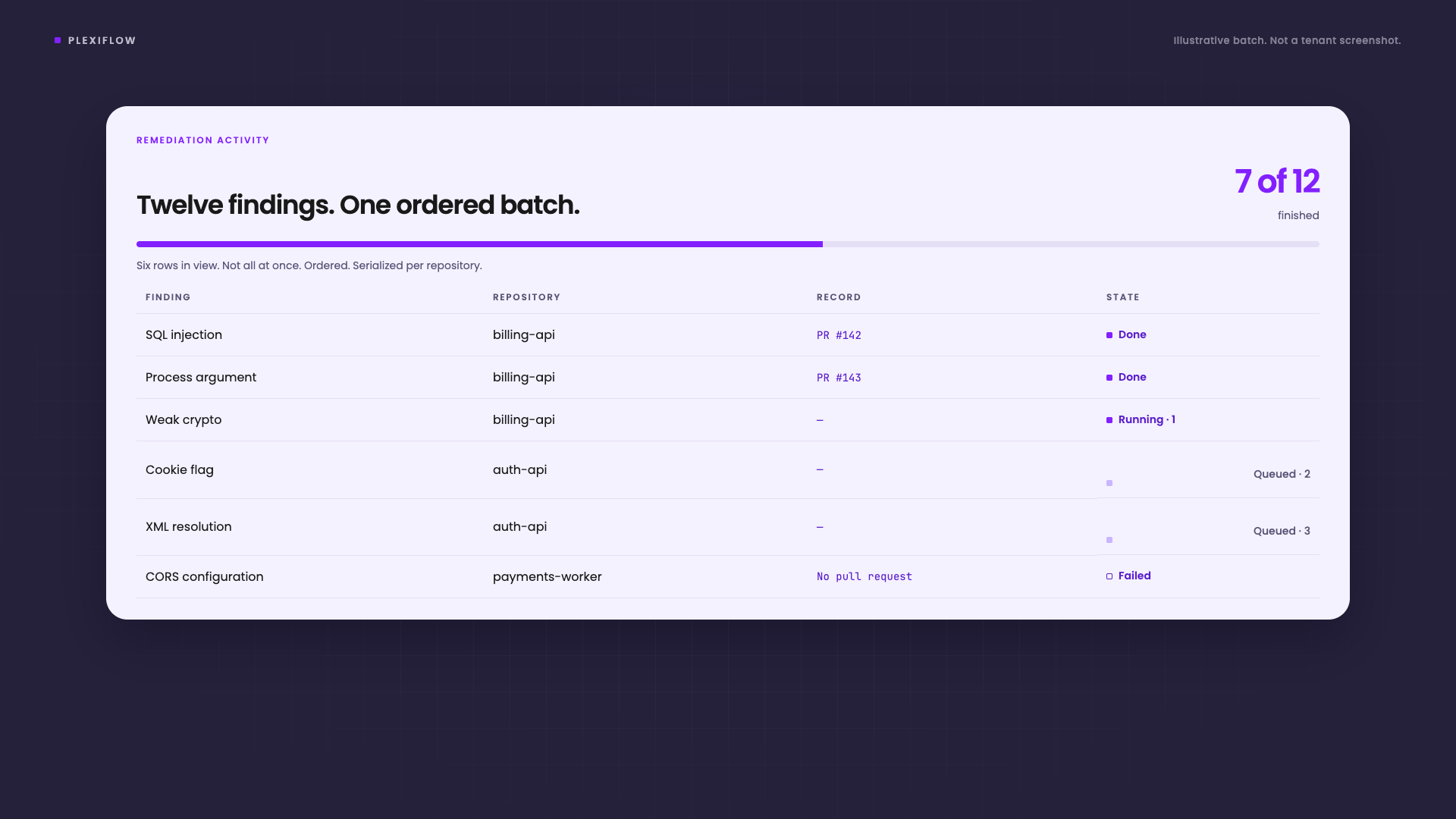
That is the part a changelog line about the editor does not cover. The editor is how you write the path. The activity view is how you watch the path work on a real set of findings.
What you can check
After a run, you should be able to answer four questions without opening a log file.
- Which branch did this finding take?
- Who was allowed to approve it?
- Did a pull request open, or did the step fail?
- What should happen next?
If the flow cannot answer those, it is not ready to publish. The test run is there so you find that out on a draft.
PlexiFlow does not replace the proof on the finding. A swarm pentest still has to exploit the issue before it counts. Deep Code Analysis still has to show the path through the code. The flow decides what you do with a finding that has already cleared that bar.
Write the path once. Let the next critical finding take it.